
When we were finishing our new apartment in Belgrade back in 2020, I made a decision that changed everything that followed: I decided on building in smart home infrastructure throughout the entire place. My wife thought I was overcomplicating things. She was right, but it was worth it.
What started as “let’s do proper lighting control” turned into a full home lab — KNX bus wiring connecting all switches, DALI bus for lights, and on top of that a dedicated server with Proxmox virtualization, 20 Docker containers, three wireless protocols, 40+ Shelly devices, a custom HVAC controller. Of course that requires good Internet connectivity, so I have a fiber connection and a local 10 Gbps network. I run about 1,460 Home Assistant entities across 52 integrations. At some point you stop counting and just hope the WAF stays positive.
The Server#
The whole thing runs on a single Proxmox VE server — a Supermicro hot-swap mini-ITX chassis with an Intel i5 and 64GB of RAM. It’s small, quiet, and tucked away in a technical room with washing machines and boilers. Inside, I run four main VMs: Home Assistant OS as the automation brain, a Windows Server 2022 VM that doubles as NAS and Blue Iris surveillance recorder, a Docker Ubuntu VM with all the self-hosted services, and an LXC container for the UniFi WiFi controller.
The NAS side uses four drives (2x12TB + 2x20TB) in a ReFS mirror configuration. I specifically chose ReFS so that in an emergency I can pull any single disk out and read it on a Windows notebook — no RAID controller needed. Not elegant, but practical, and safe.
Strong Network#
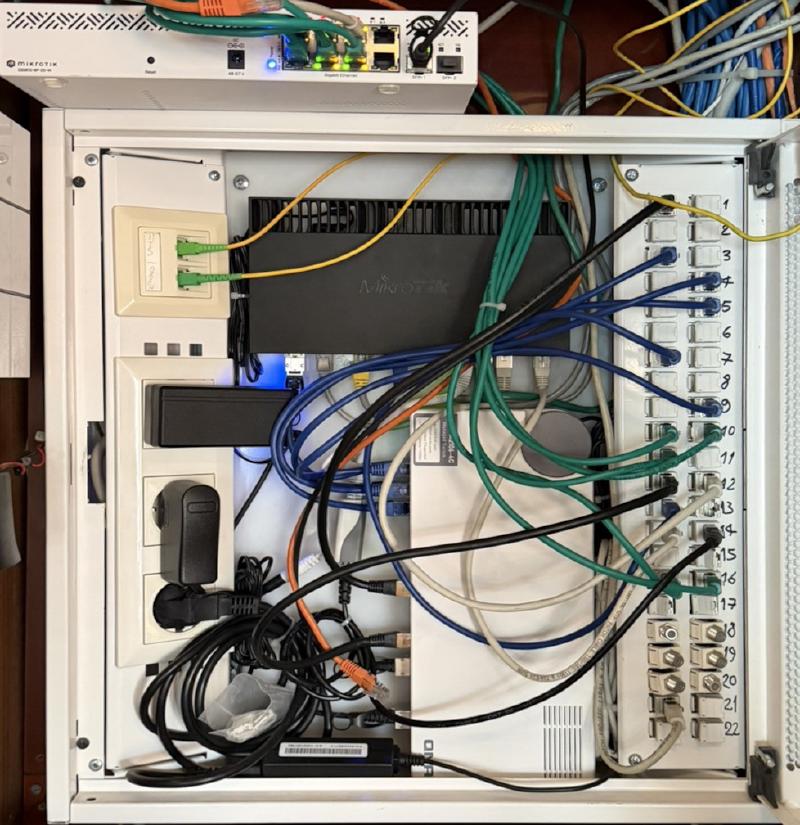
The core router is a MikroTik RB4011iGS+ running RouterOS 7.x. Primary Internet comes from Orion Telekom — 2 Gbps fiber through a Huawei modem in bridge mode, bonded across two Ethernet ports. There’s a redundant MTS PPPoE fiber link too, though it’s currently not operational. The backbone between the router, server, and main switch runs at 10 Gbps over a QNAP QSW-M2106-4C managed switch.
I manage different IP subnets for main LAN, guest WiFi network, WireGuard VPN, and a shared building surveillance network that sits behind its own RB750GL router. WiFi coverage comes from five UniFi access points — a nanoHD, two AC-LRs at KA33, a U6-Lite, and a U6-LR — serving about 45 clients across four SSIDs.
The network extends to a secondary apartment where my son lives, bridged by a pair of MikroTik wAP 60G units forming a 60 GHz wireless bridge. It also extends to a small office space in the building where I keep a separate WiFi and my HP Color MFP.
Router Security and Telegram Scripting#
I’ve spent more time on MikroTik scripting than I probably should. The router runs about ten custom scripts, all feeding notifications to a Telegram bot. I get messages when a new device joins the network, when an interface goes down, when the WAN IP changes, when the router temperature spikes, when the number of user accounts changes (a hack indicator), and when firewall rule counts shift.
Firewall rules ensure safety of the network, using a variant of a common (but not public) security trick. Everything else from WAN gets auto-blocked. Web traffic from the outside only reaches the server if it comes from Cloudflare IPs, which get auto-updated hourly from a GitHub list.
The router also does daily automated backups — both email and MikroTik Cloud — and runs NetWatch probes against three external DNS servers, alerting via Telegram when connectivity drops.
KNX: The Wired Backbone#
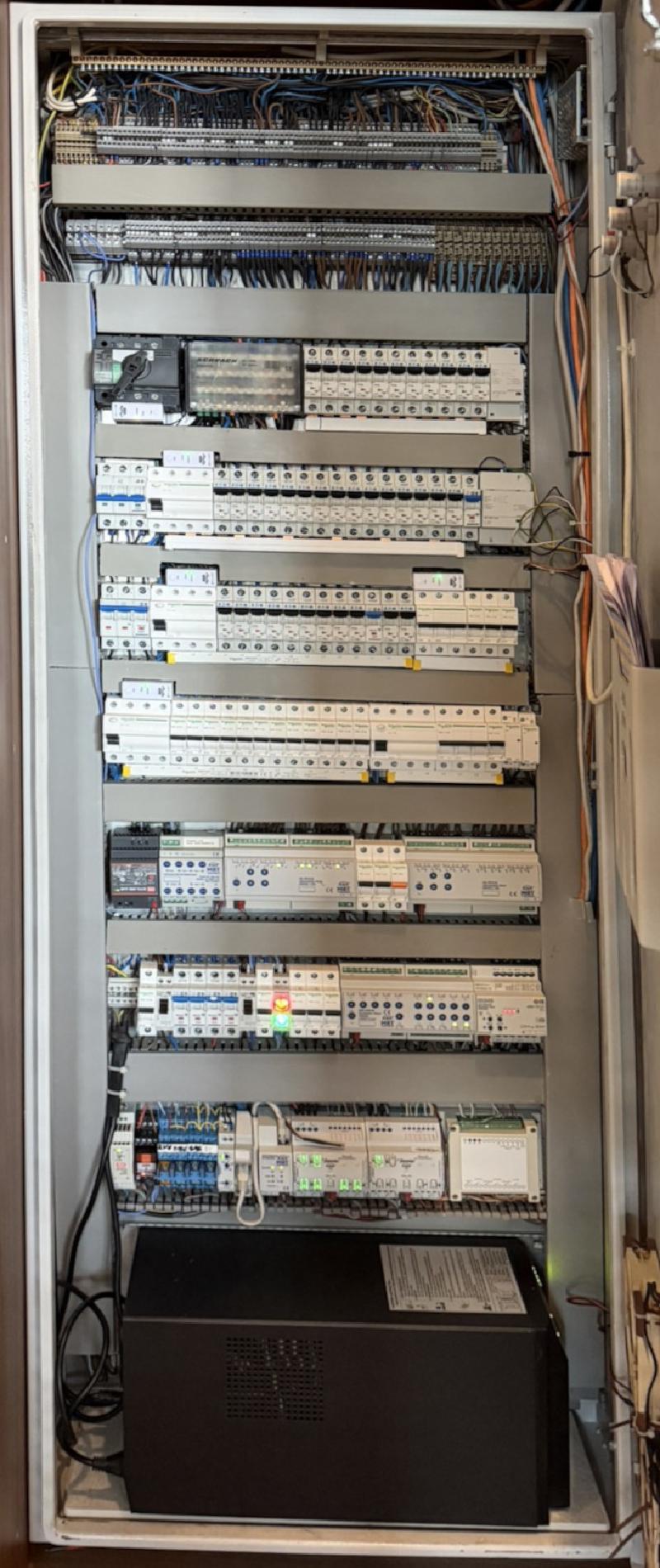
The KNX installation was done with the basic electrical wiring and forms the foundation of the smart home. I decided on KNX as it is a professional protocol, standardized more than 20 years ago, but constantly updated and with a huge vendor base. Lights are controlled by dedicated drivers, mostly over the DALI protocol, through a KNX-to-DALI converter. KNX is a distributed protocol, exchanging message telegrams over twisted pair that also powers the devices. The big advantage is that functionality does not depend on a single central device, so even if the server is down, switches function normally.
There are 38 devices on the bus with 563 group addresses, covering lighting (including a DALI controller), 20 channels of shutter/blind control, wall-mounted room controllers and push buttons from Jung, four presence detectors, and a weather station on the terrace.
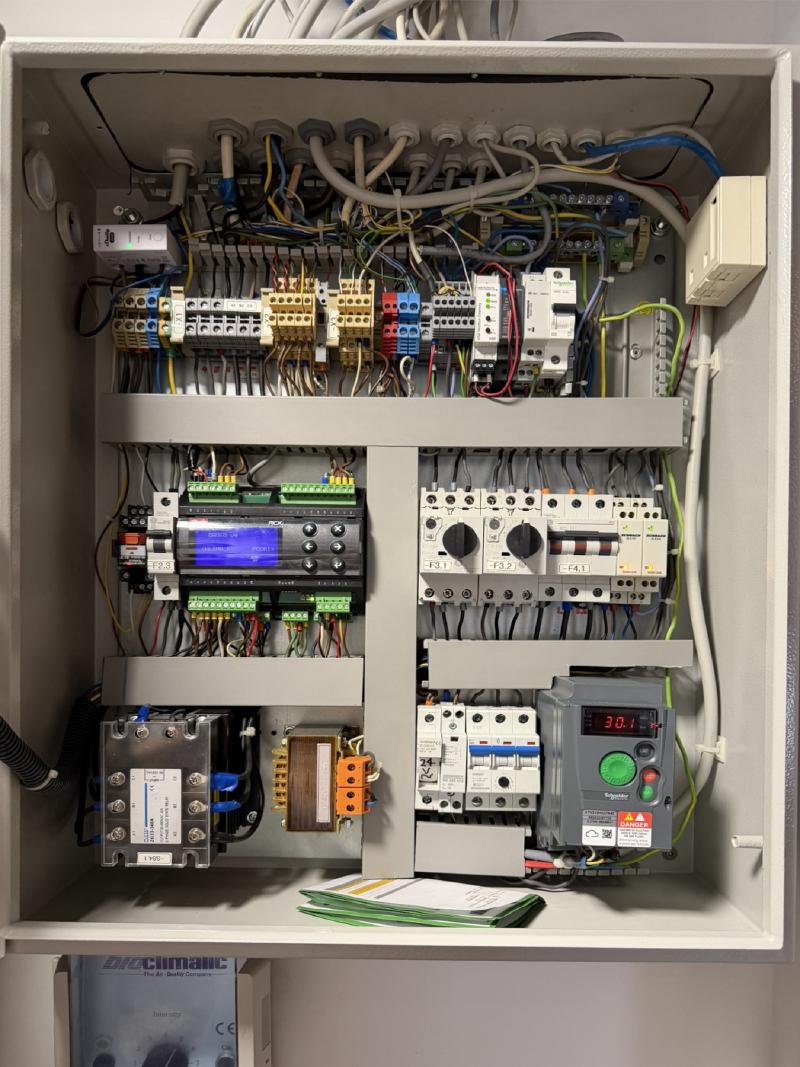
The HVAC side is interesting. Our building has four Toshiba heat pumps that supply hot and cold water to all apartments. I have a Danfoss MCX08M2 climate controller — custom-programmed — that manages two branches: wall and floor water panels, and a ceiling air exchanger with electric heater. It connects to Home Assistant through a Weinzierl KNX-Modbus gateway. The regulation logic runs on a 10-minute loop with formulas that factor in outdoor temperature, and there’s a travel mode that shuts everything down on departure and does aggressive pre-conditioning on return.
The whole apartment also has a fireplace (alcohol burning) controlled via KNX — start, stop, flame level, and status feedback all come through as Home Assistant entities.
Shelly, Zigbee, and Everything Wireless#
Beyond KNX, I have about 40+ Shelly devices. Seven are 3EM energy monitors tracking per-circuit power consumption — mains input, kitchen, bathroom, living room, HVAC cabinet, lights, and UPS. Five Shelly UNIs help me control HVAC. There are flood sensors, a gas sensor, a smoke detector, and various switches for boilers, lights, and the garage door. Shelly is a low-cost, very flexible solution. I decided to standardize on them, as an addition to main KNX functionality, for less critical functions.
Zigbee runs on a SLZB-MR4U coordinator with six devices — mostly IKEA and Xiaomi sensors. BLE goes through ESP32 proxies and covers a SwitchBot Meter Pro for CO2 monitoring, a SwitchBot Curtain, and an Aqara FP2 presence sensor. There’s even a SwitchBot Bot that physically presses the start button on a DJI ROMO vacuum because it still has no native integration.
Home Assistant: Holding It All Together#
Home Assistant OS runs as a Proxmox VM and manages the whole circus — about 1400 entities across 50+ integrations, with almost 100 automations. The automations cover security alerts (PIR, gas, fire, flood, power outage), HVAC scheduling, motion-triggered lighting, storm protection for blinds, media control, hot water optimization based on electricity tariffs, and multi-source presence detection combining GPS, WiFi, and iBeacon tracking.
One of my favorite automations is the morning weather announcement — a KNX wakeup trigger fires a Home Assistant script that calls ChatGPT to compose a weather summary, feeds it through Chime TTS, plays it on the Denon AVC-X4800H via HEOS, and then restores whatever the TV was showing before. Completely unnecessary. Works beautifully every morning.
The AV setup itself is a Denon AVC-X4800H driving three zones (living room, terrace, bathroom) with HEOS network audio, plus two TVs — a Sony 85" in the living room and an LG 55" in the bedroom.
Self-Hosted Services#
The Docker VM runs about 20 containers managed through Portainer: AdGuard Home for DNS filtering across all networks, Nginx Proxy Manager with Let’s Encrypt SSL and Cloudflare DDNS for five domains (jevtovic.rs/com, jugodata.rs/com, bender.rs), InfluxDB for time-series data, MariaDB, MediaWiki for internal documentation, Uptime Kuma monitoring 11 services, Code Server for remote development, and a few others. Watchtower handles automatic container updates.
The Honest Part#
Power to the whole system is protected by an APC SmartUPS 1000, located in the power panel, with dedicated UPS power throughout the apartment. For my desktop PC I have another EATON 9SX 1500 online UPS, as I don’t want my two 32" LG 4K monitors to draw power from the server and network.
Is it overengineered? Absolutely. The KNX installation alone has 500+ group addresses — that’s more than most small office buildings. I have a MikroTik script that calculates the time difference since a MAC address was last seen on the network, stores it in a global array, and only sends a Telegram notification if it’s been more than 31 minutes. I wrote a custom SMTP gateway in the 1990s and apparently I never stopped.
But it works. The apartment is comfortable, the network is reliable, the backups are automated, and I understand every layer of it. After spending 13 years building an ISP, I suppose I was always going to end up running one at home too.